





















NEW AI ✦ Integrated next-generation AI lesson planning assistant

Transform Slide PowerPoint into
Interactive E-Learning lectures in 1 click

Avina Authoring Tool helps teachers and corporate L&D departments design professional, vivid digital training content compliant with SCORM/HTML5 standards 10 times faster thanks to a powerful AI assistant.

Scientific Workflow

Create international standard interactive lectures in 4 steps

1

Import Old Slides

Upload an existing PPTX file or start sketching a brand new lecture on Avina.

2

Optimize with AI

Use AI to set content structures and synchronize lecture voiceovers smoothly.

3

Insert Game & Quiz

Integrate interactive questions and vivid pedagogical mini-games to captivate learners.

4

Smooth Publishing

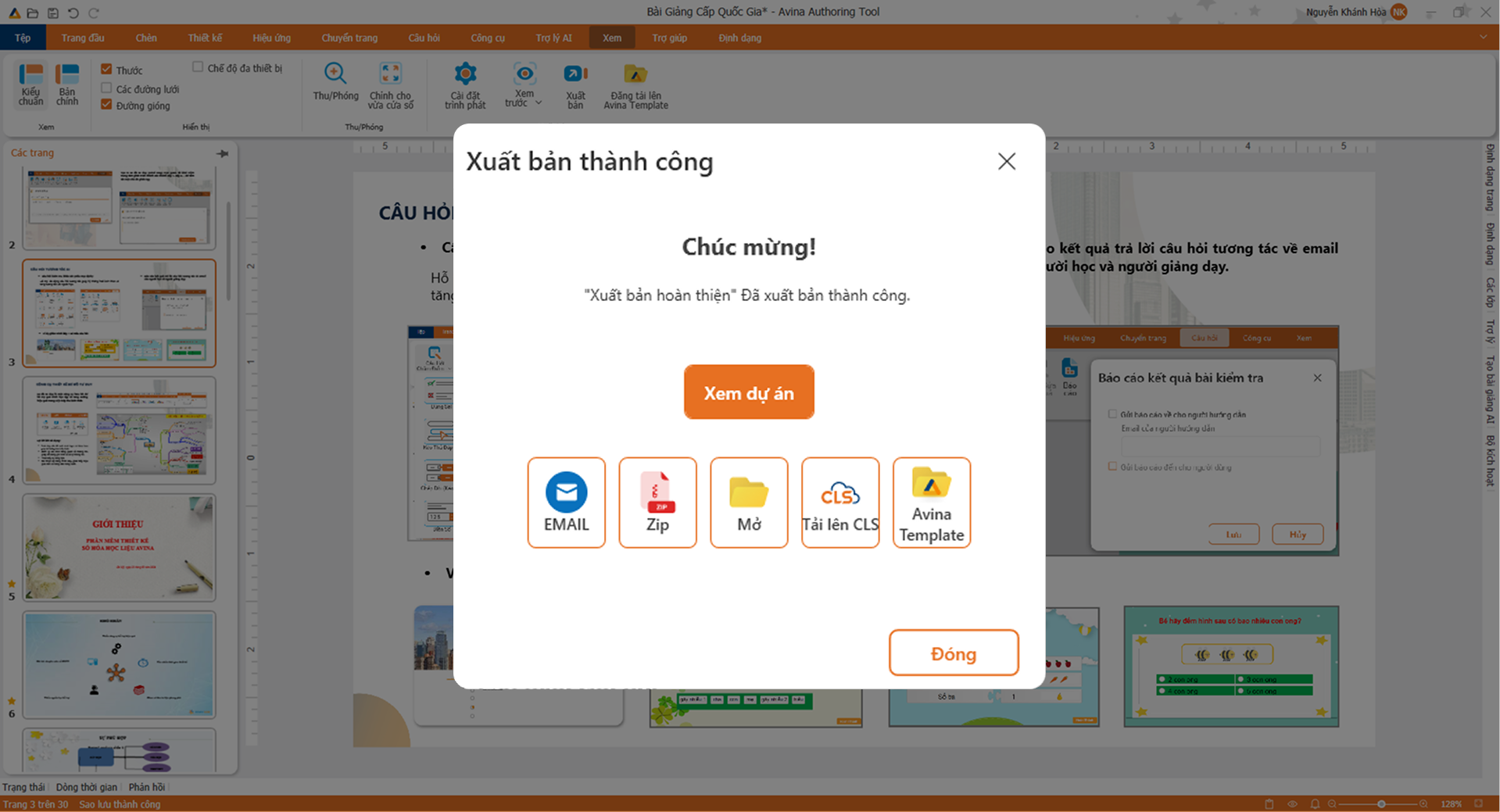
Publish in SCORM or HTML5 format instantly, uploading onto LMS learning platforms smoothly.

Trusted by over 100+ top schools, training centers, and enterprises

Khối nhà nước
Khối nhà nước
Khối nhà nước
Khối nhà nước
Khối nhà nước
Khối nhà nước
Khối nhà nước
Khối nhà nước
Khối trường học
Khối trường học
Khối trường học
Khối doanh nghiệp
Khối doanh nghiệp
Khối doanh nghiệp
Khối doanh nghiệp
Khối doanh nghiệp
Khối doanh nghiệp
Khối doanh nghiệp
Khối doanh nghiệp
Khối doanh nghiệp
Khối doanh nghiệp
Khối ngân hàng
Khối ngân hàng
Khối ngân hàng

Why is Avina trusted by over 300,000 clients?

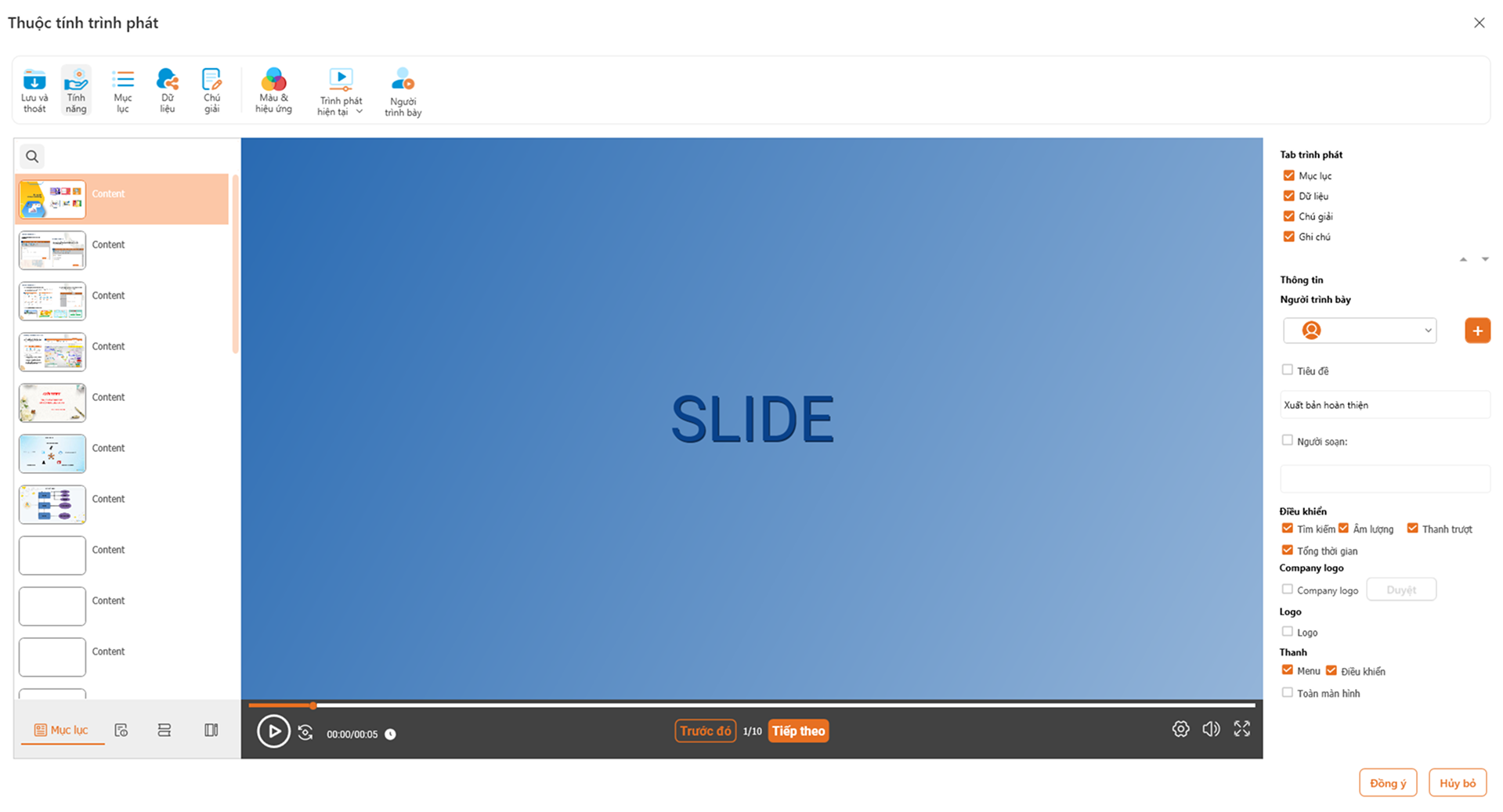
Trình phát bài giảng Avina

SAVE 80% OF TIME - EASILY DIGITIZE LECTURES AND CREATE COURSES WITH JUST A SINGLE SOFTWARE

Avina integrates full features: Create vivid video lectures, design interactive mini-games, and build diverse graded quizzes to optimize course workflows.

Rich learning resource library: Access tens of thousands of constantly updated slide templates helping teachers and trainers optimize lesson preparation time.

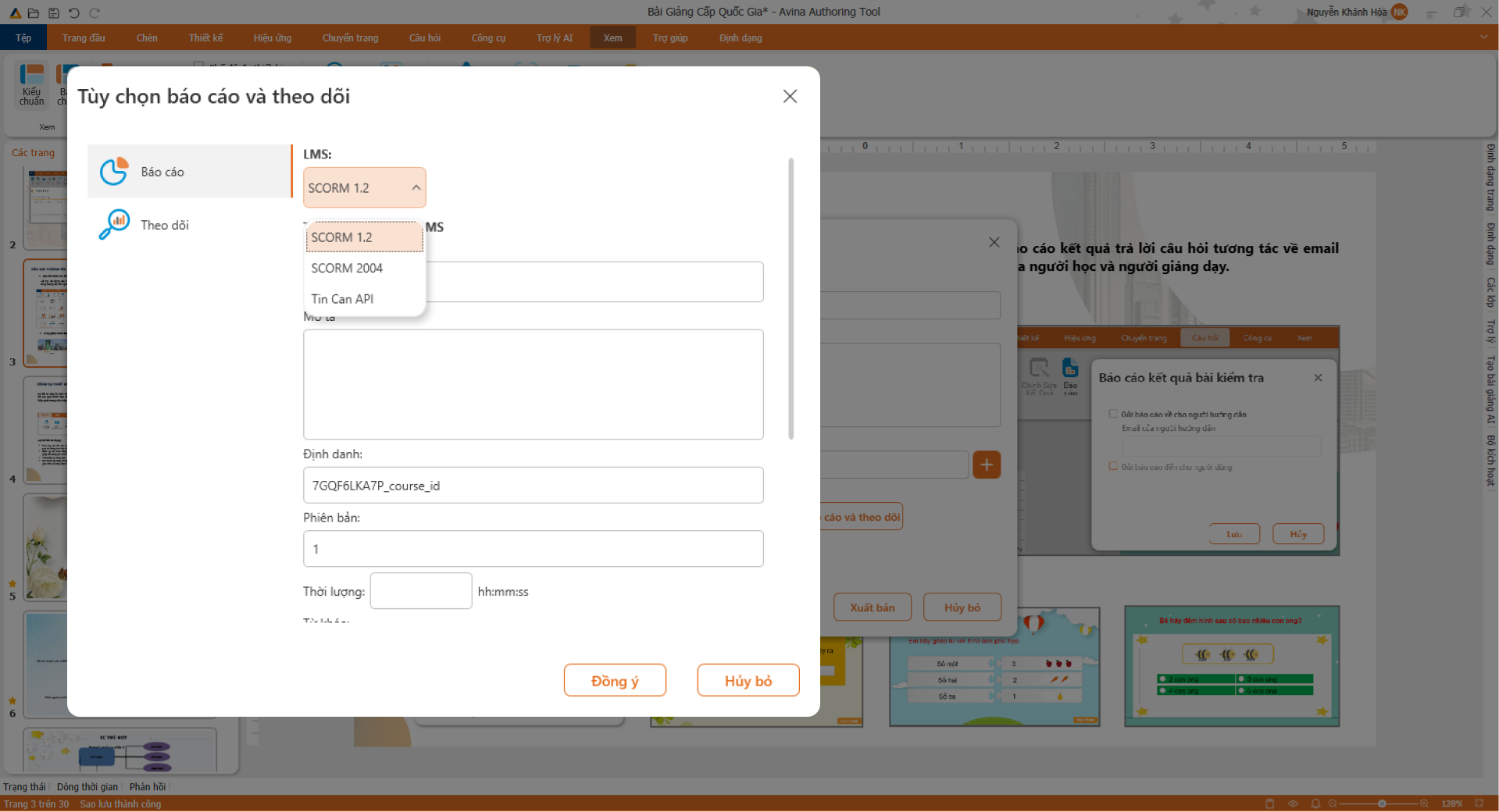
International standardization: Package lectures in SCORM 1.2, 2004, xAPI, or HTML5 formats to upload onto LMS platforms seamlessly.

Outstanding Difference

A breakthrough in digital lecture design

Limitations of traditional lesson planning

Traditional methods are time-consuming and lack interactivity:

  • Spend hours designing static slides, low-interactivity lectures cause boredom.
  • Face difficulties when self-designing complex mini-games and interactive quizzes.
  • Difficult publishing, prone to SCORM errors when uploading to learning management systems (LMS).
  • Must use too many fragmented tools for screen recording, audio recording, and editing.
✦ AI BREAKTHROUGH ✦

Breakthrough solution with Avina

Smooth lesson digitization with outstanding smart features:

  • Vivid lectures, visual multimedia, and extremely smooth animations.
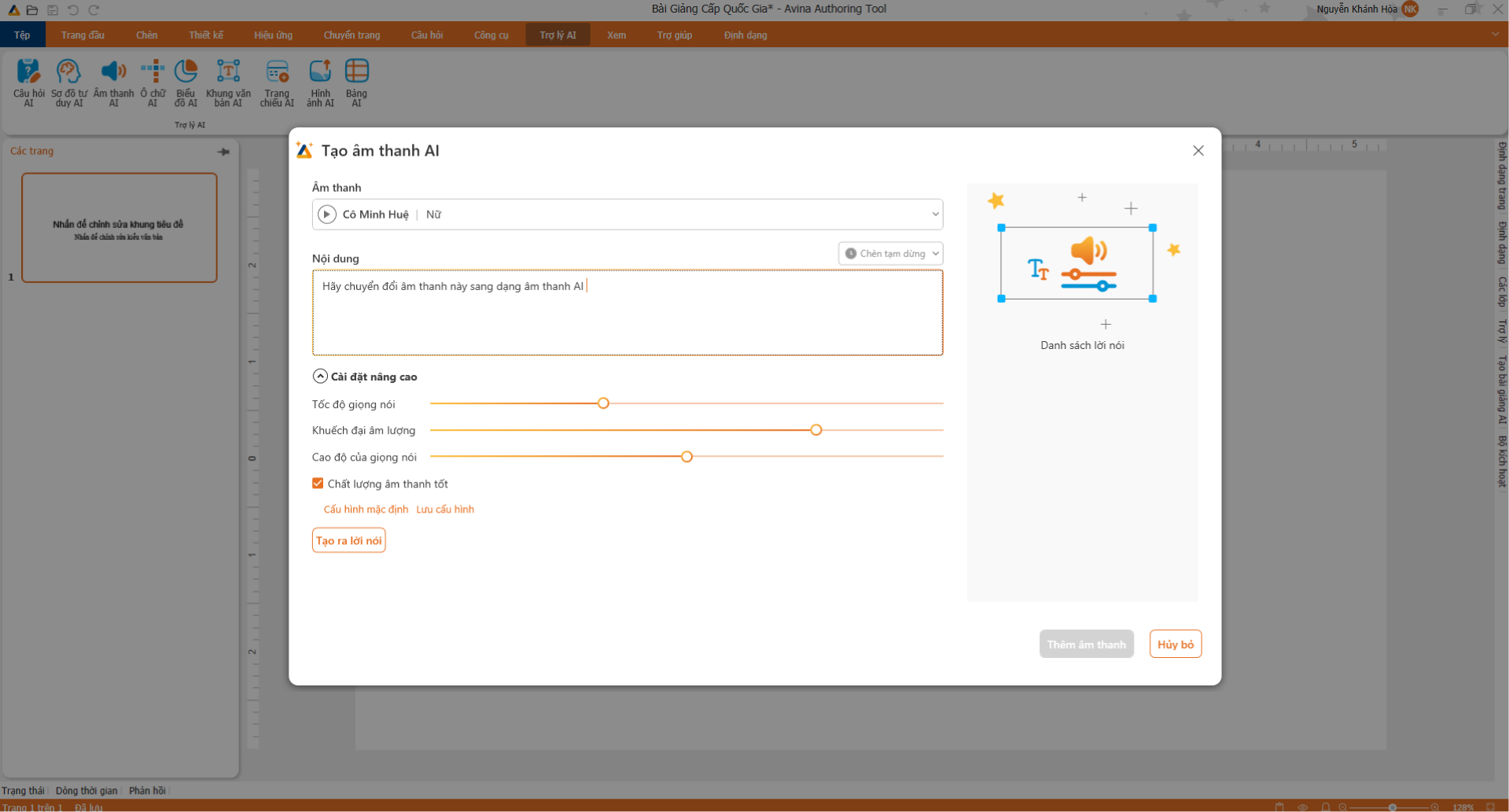
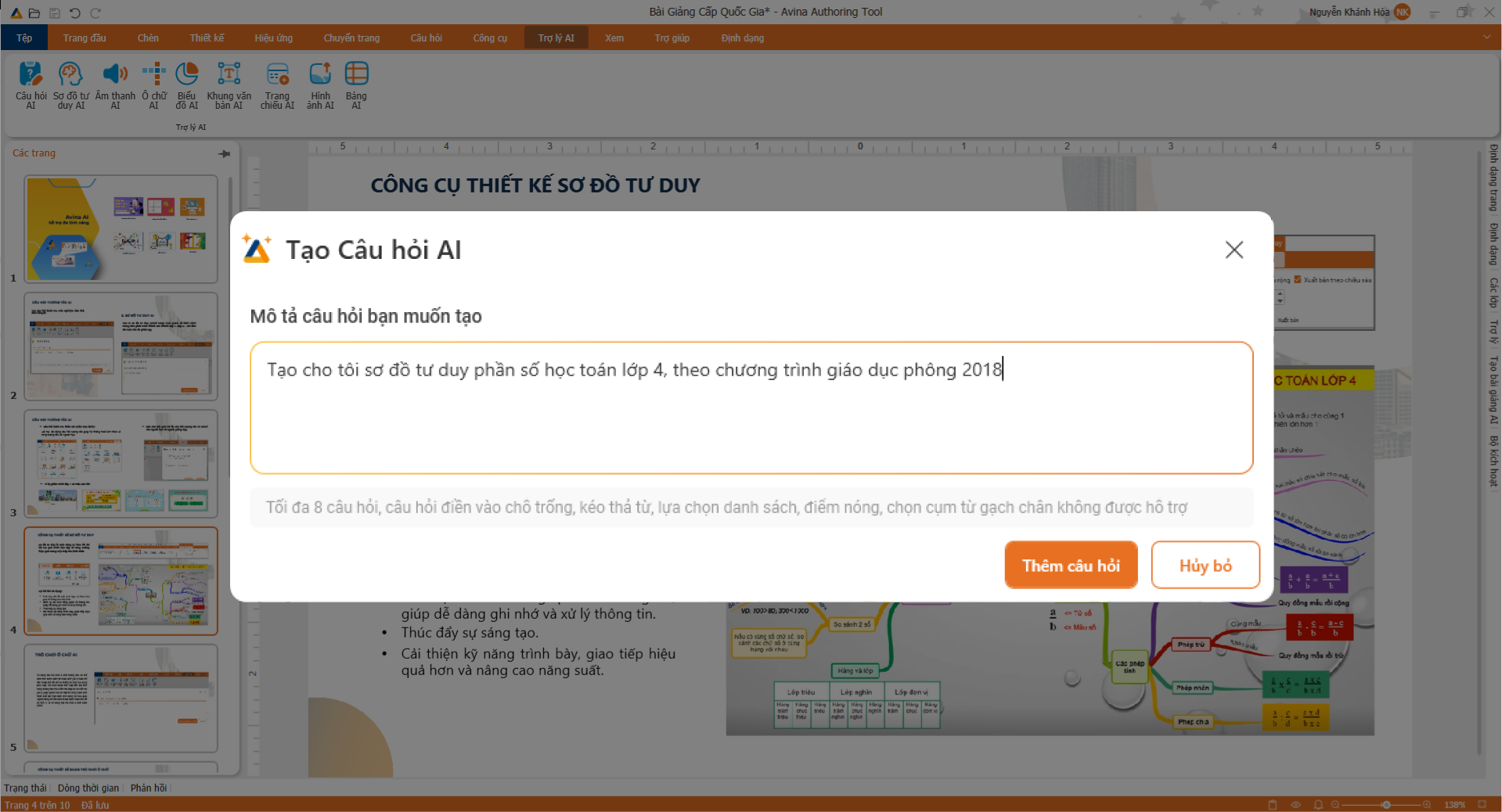
  • Smart AI Assistant automatically generates lesson scripts and quizzes in 3 seconds.
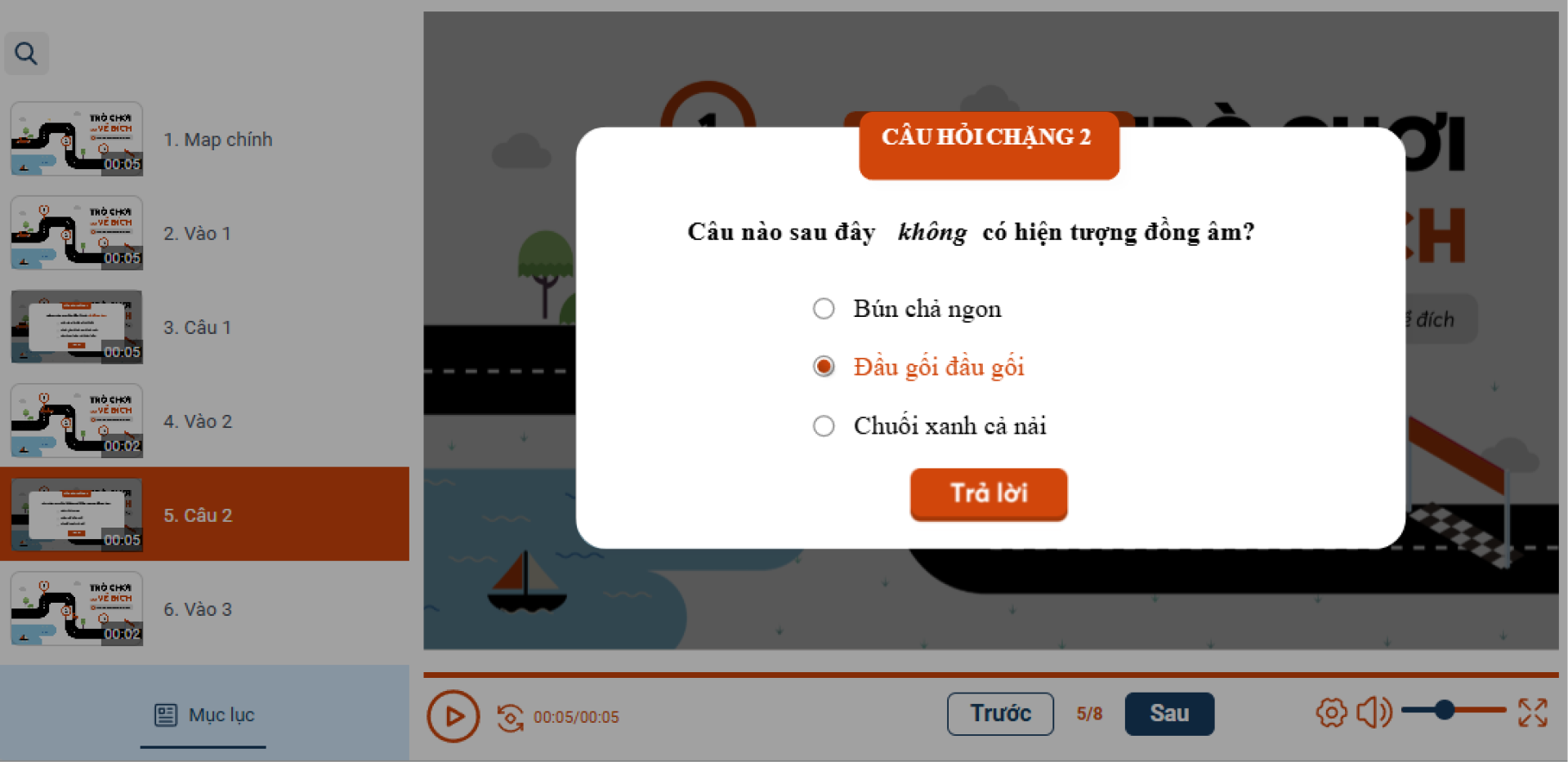
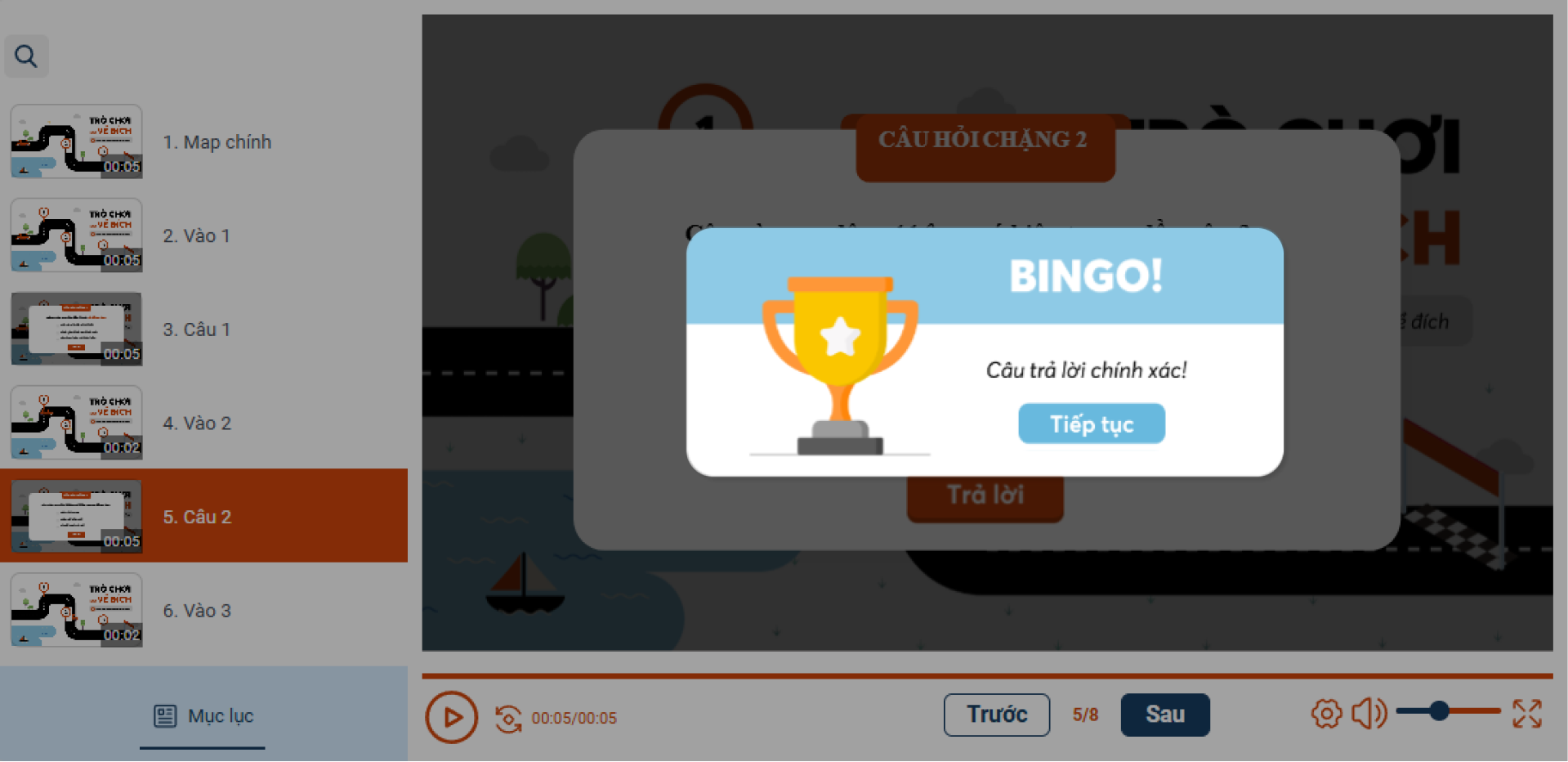
  • Captivating design with 10+ interactive quiz formats.
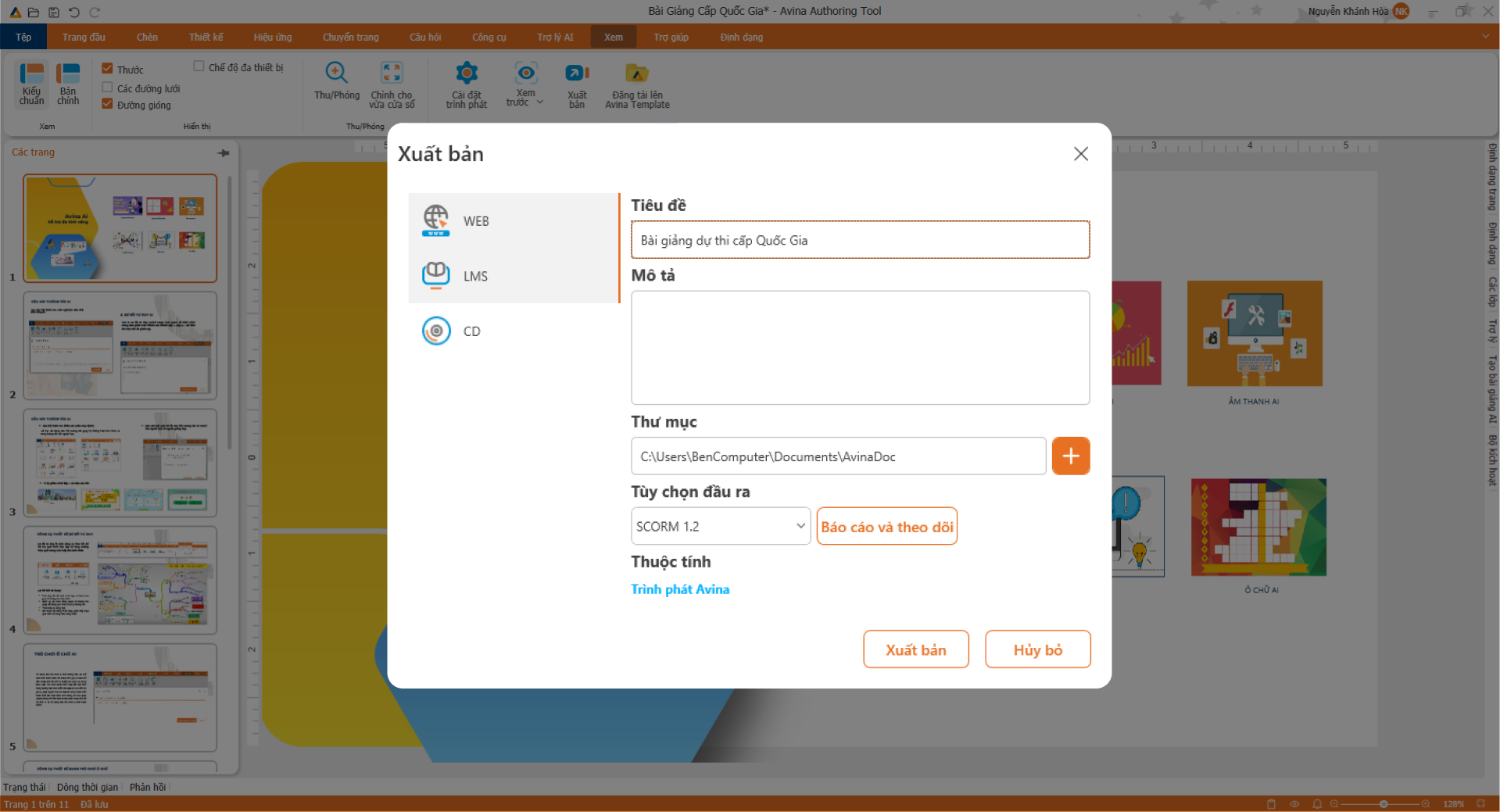
  • Perfect packaging and publishing in SCORM and HTML5 standards, 100% compatible with all LMS.
Interactive Experience

Discover the power of Avina right here

Select the tabs below to experience the smooth features of the software.

1

Smart AI Assistant

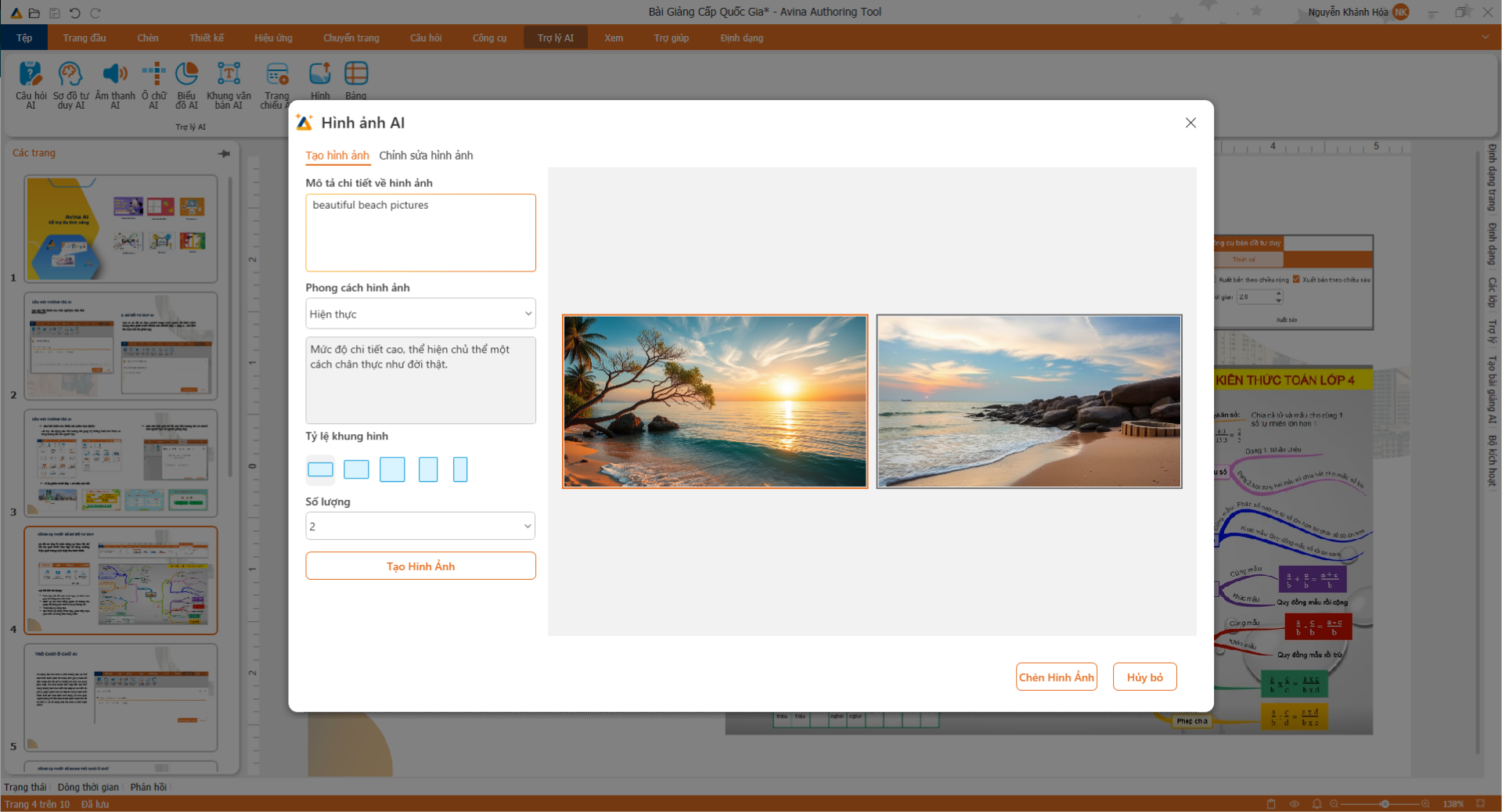
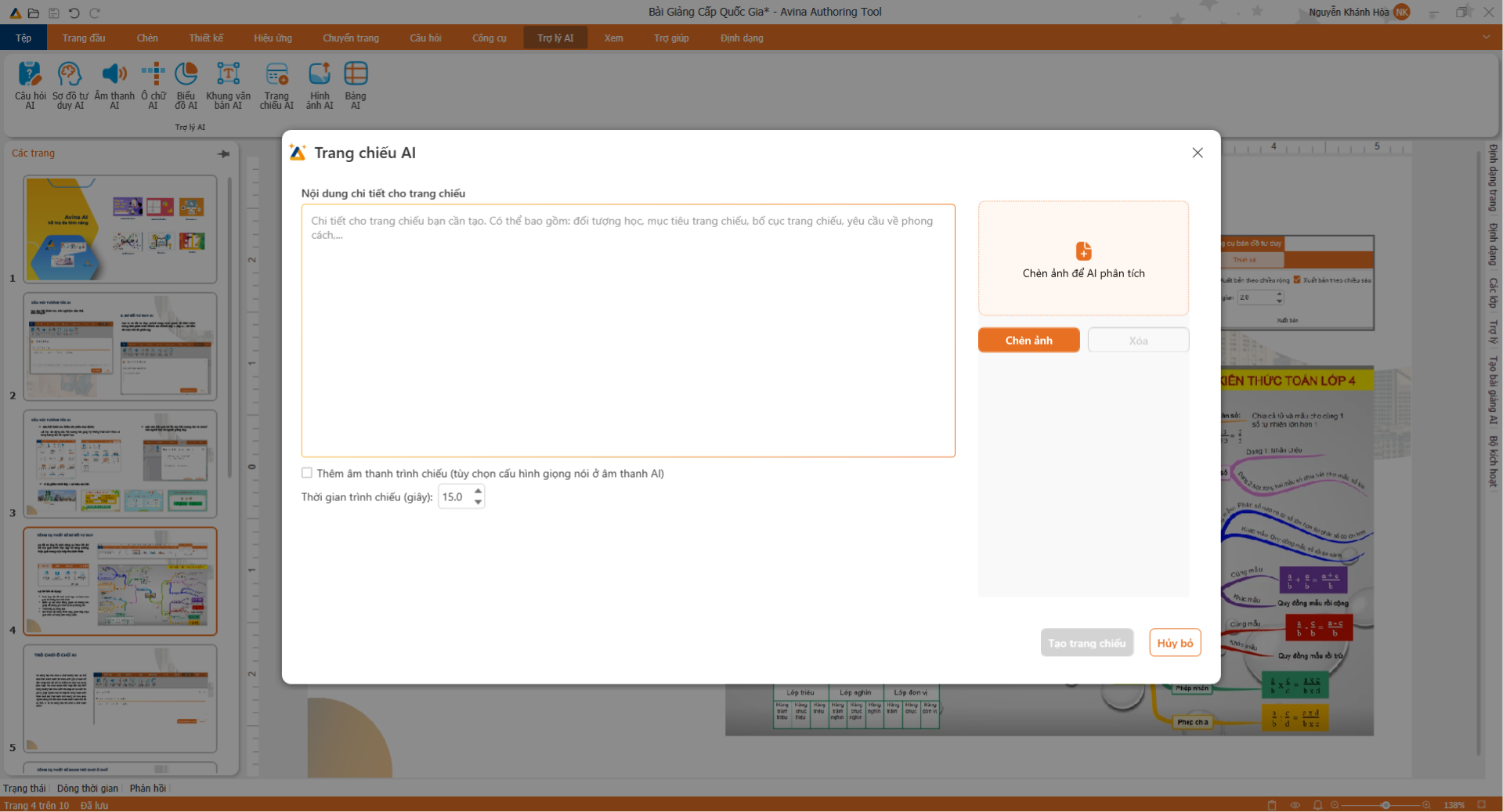
Automatic script & slide generation

2

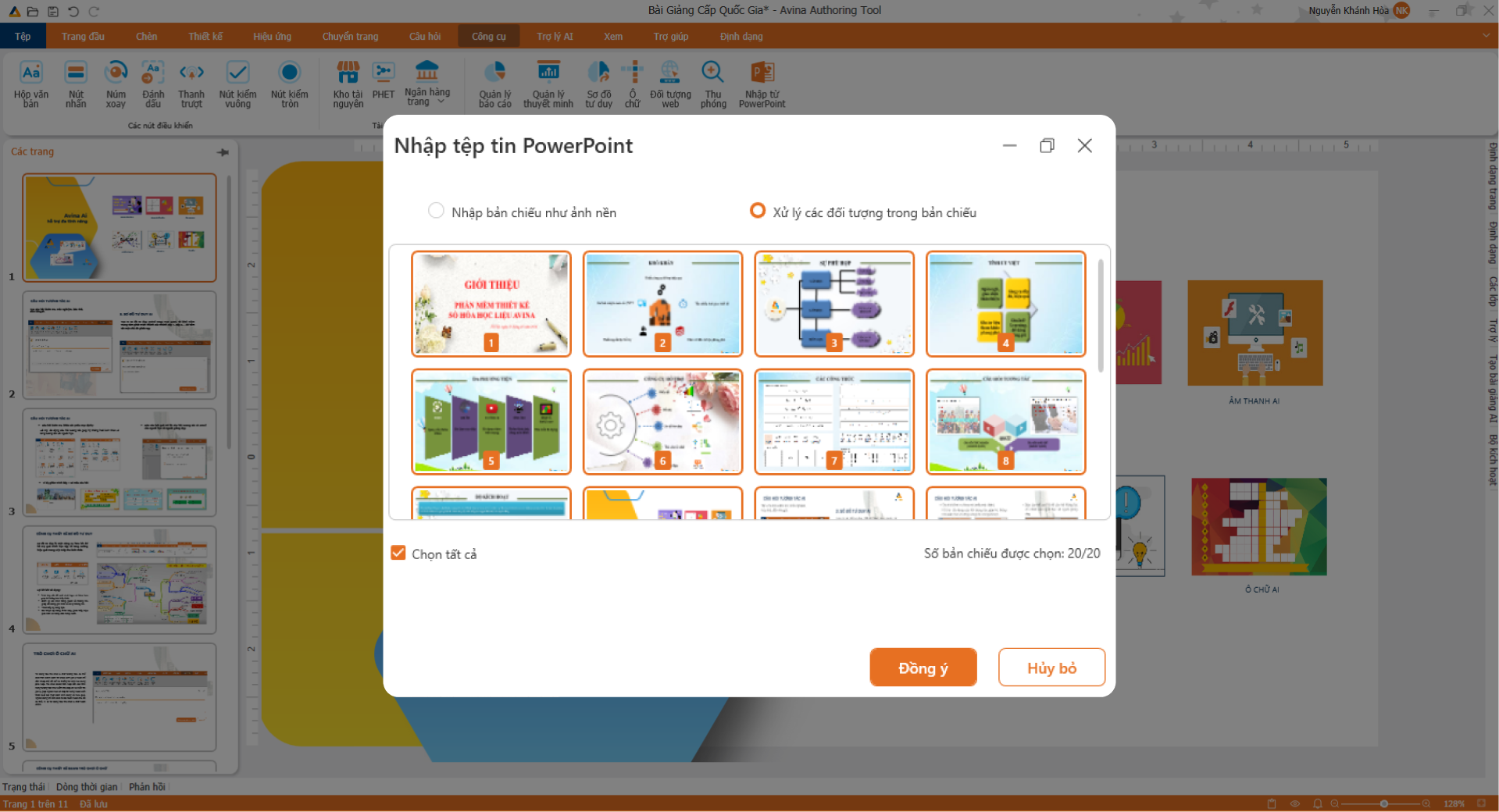
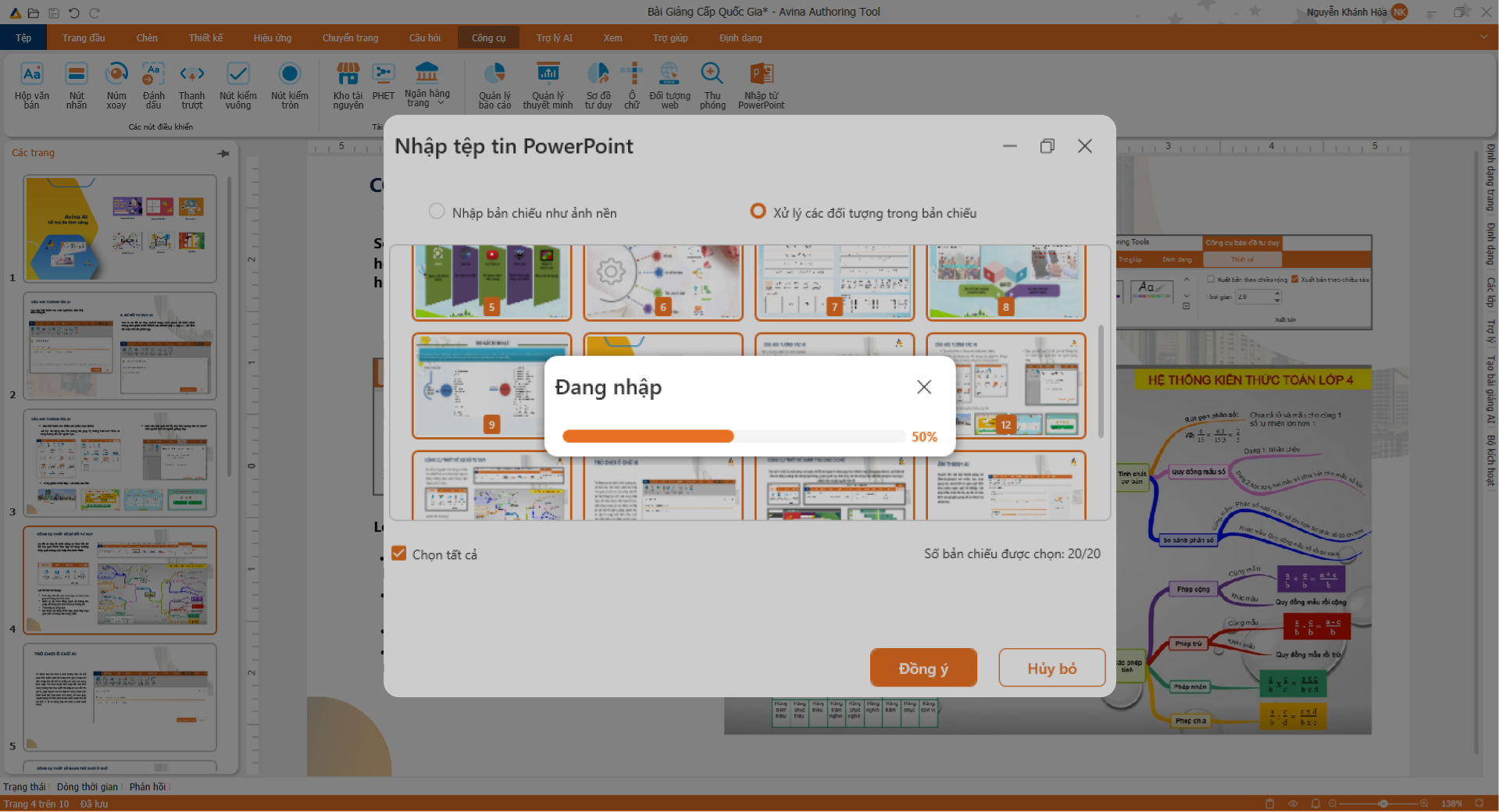
PowerPoint Conversion

Breathe life into old slides with interactivity

3

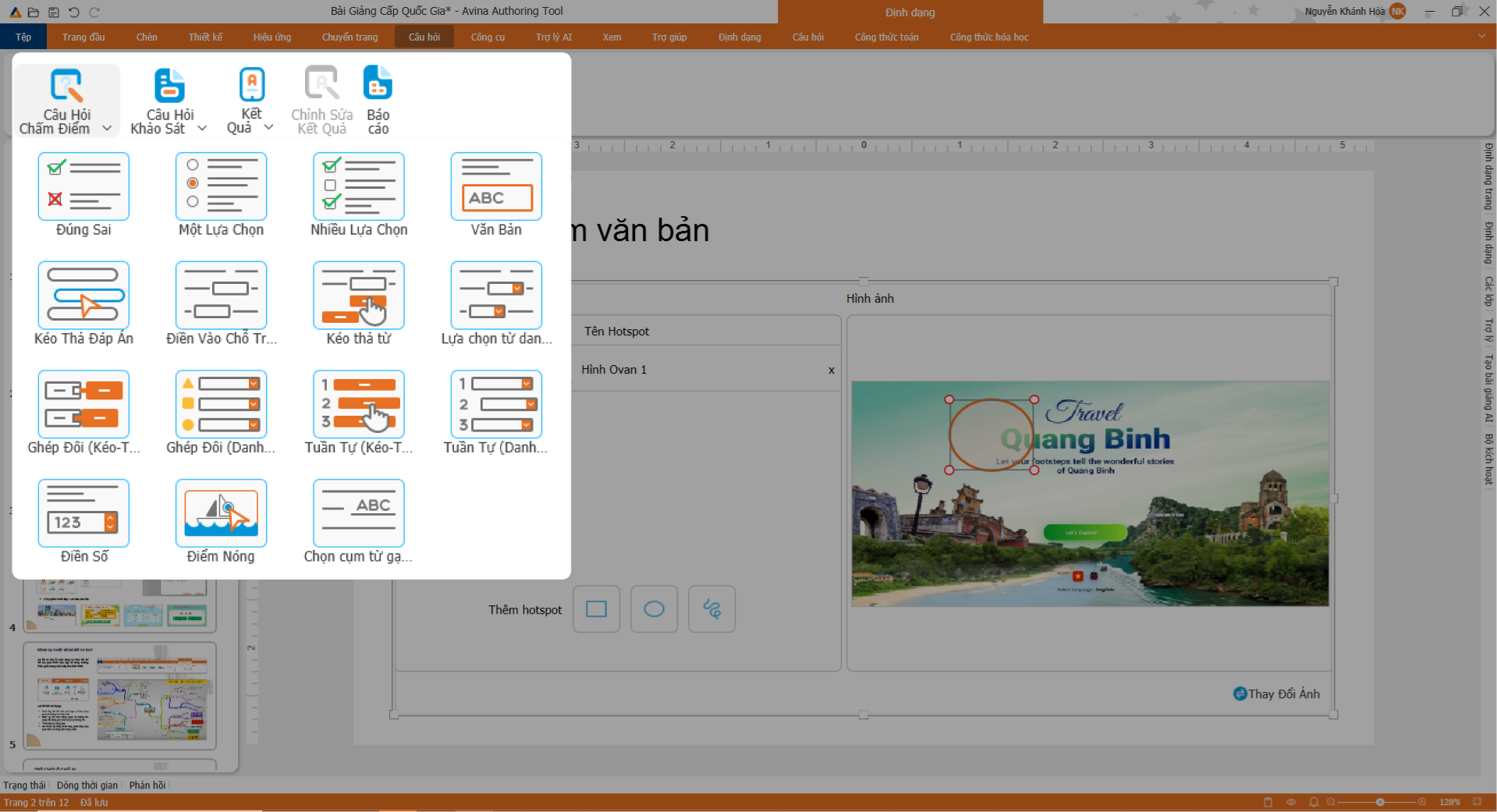
Diverse Interactive Quizzes

Set up drag-and-drop questions & quick quizzes

4

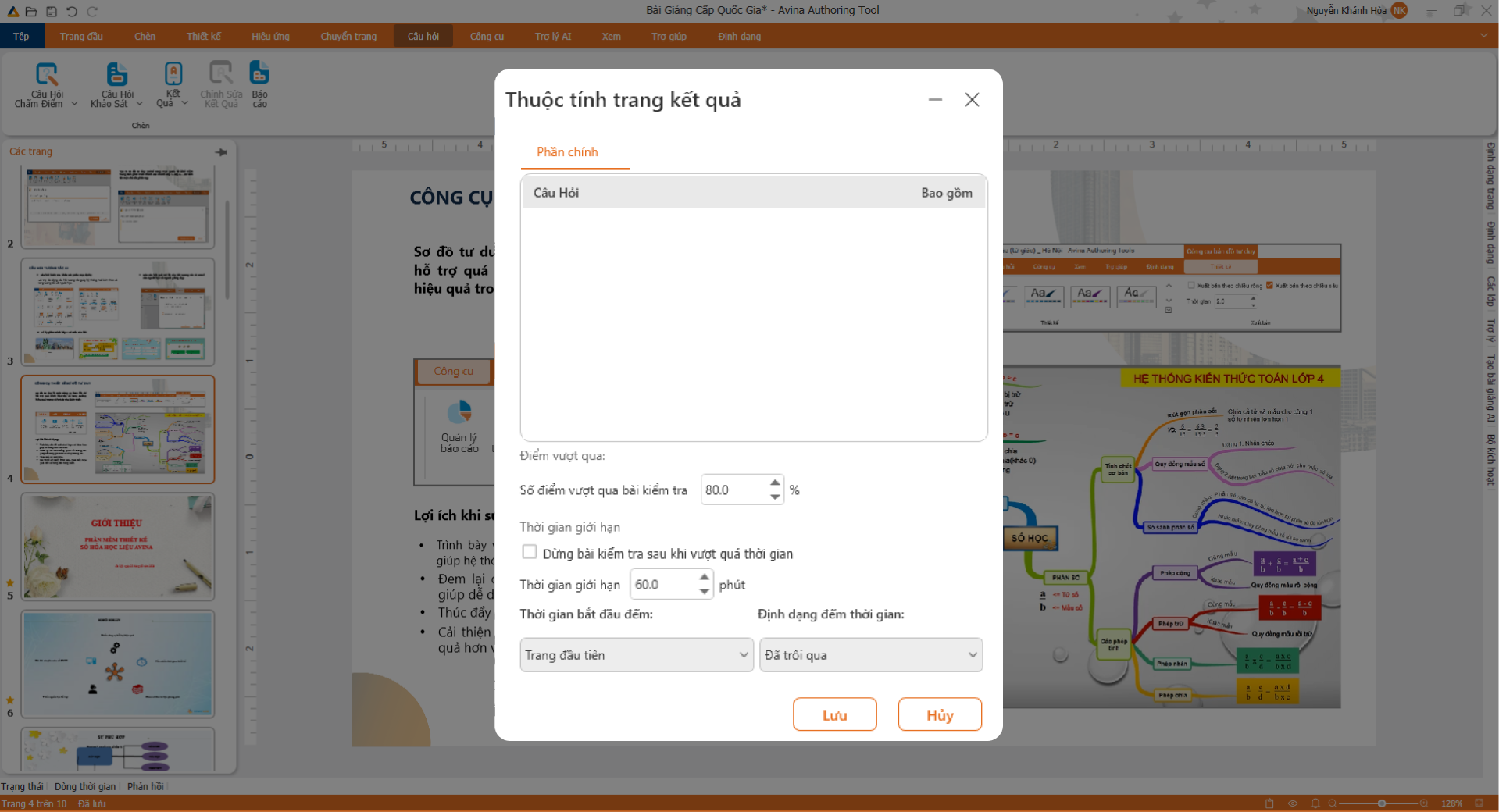
Export SCORM & HTML5

Sync absolutely with all LMS platforms

Smart AI Assistant - Slide 1
Smart AI Assistant - Slide 2
Smart AI Assistant - Slide 3
Smart AI Assistant - Slide 4
PowerPoint Conversion - Slide 1
PowerPoint Conversion - Slide 2
Diverse Interactive Quizzes - Slide 1
Diverse Interactive Quizzes - Slide 2
Diverse Interactive Quizzes - Slide 3
Diverse Interactive Quizzes - Slide 4
Export SCORM & HTML5 - Slide 1
Export SCORM & HTML5 - Slide 2
Export SCORM & HTML5 - Slide 3
Export SCORM & HTML5 - Slide 4
Smart Ecosystem

Comprehensive digital lecture design solution

Partner with the AI Lesson Planning Assistant

Simply enter a brief topic, and the AI assistant will automatically create outlines, design slide animation scripts, and suggest optimal interactive questions. Save up to 90% of prep time!

AI Engine: > Generating lecture structure... Done!
📥

Import PowerPoint slides perfectly

Keep 99% of slide layouts, animations, and text from legacy PowerPoint. Easily add interactive games and quizzes via drag-and-drop.

🎙️

Screen & Audio Recording

Record voiceovers for direct teaching, capture technical steps on screen, and edit/trim audio clips extremely smoothly.

📹 Record_Screen.mp4
🎙️ Audio_Lecture.mp3
🧠

Mindmap Creator

Sketch scientific knowledge structure, helping students easily follow the logical flow of lessons directly on slides.

Lesson
Main Idea 1
Main Idea 2
📚

Lecture & Slide Template Library

Access a library of thousands of pre-designed pedagogical slides and animated characters completely free.

🧩

Quizzes & Interactive Games

Integrate over 10+ drag-and-drop interactive quiz types and pedagogical mini-games to stimulate thinking.

✓ SCORM 2004 (Correct)
🚀

Seamless Packaging & Publishing

Package in SCORM 1.2, 2004, and HTML5 international standards, ensuring perfect student score synchronization on any LMS.

SCORM 1.2 HTML5
Outstanding Features

Professional & comprehensive tool system

Compatible with PowerPoint

Convert PowerPoint files into digital lectures, keeping the original file format and editing easily

Edit audio, video

Integrated Avina multimedia editing tool allows cutting, merging, adding audio and video effects right on the platform.

Interactive questions

Quickly create multiple choice, true/false, drag and drop questions... Avina helps you increase interaction and test students' understanding right in the lesson.

Mind map

Design intuitive mind maps, systematize knowledge, support learners to memorize and think logically effectively.

Publishing lectures

Supports publishing lectures in many popular formats such as HTML5, SCORM, Video MP4,... ready to integrate into any LMS system or use offline.

Effect

Insert motion effects, appearance, disappearance,.... for each object (image, question, text) in the lecture slide.

Trigger

Assign actions to each object (click, hover...) to increase interactivity.

Document

Edit and present text content easily with rich formatting tools like Word/PowerPoint.

Chart

Create charts: column, pie, line, area... to illustrate data clearly.

Mathematical formula

Write precise mathematical equations and symbols with Math Editor.

Screen capture and recording

Record operations and illustrations directly from your computer screen quickly.

Insert Text Object, Icon

Insert Youtube videos, websites, iframes or online resources directly into lectures

Edit topic

Change colors, fonts, backgrounds – sync with your brand or personal preferences.

Picture

Supports integrating hand-drawing tools, geometry, diagrams, symbols,... right into the lecture. Avina helps you convey ideas in an intuitive and easy-to-understand way.

Optimal Layout

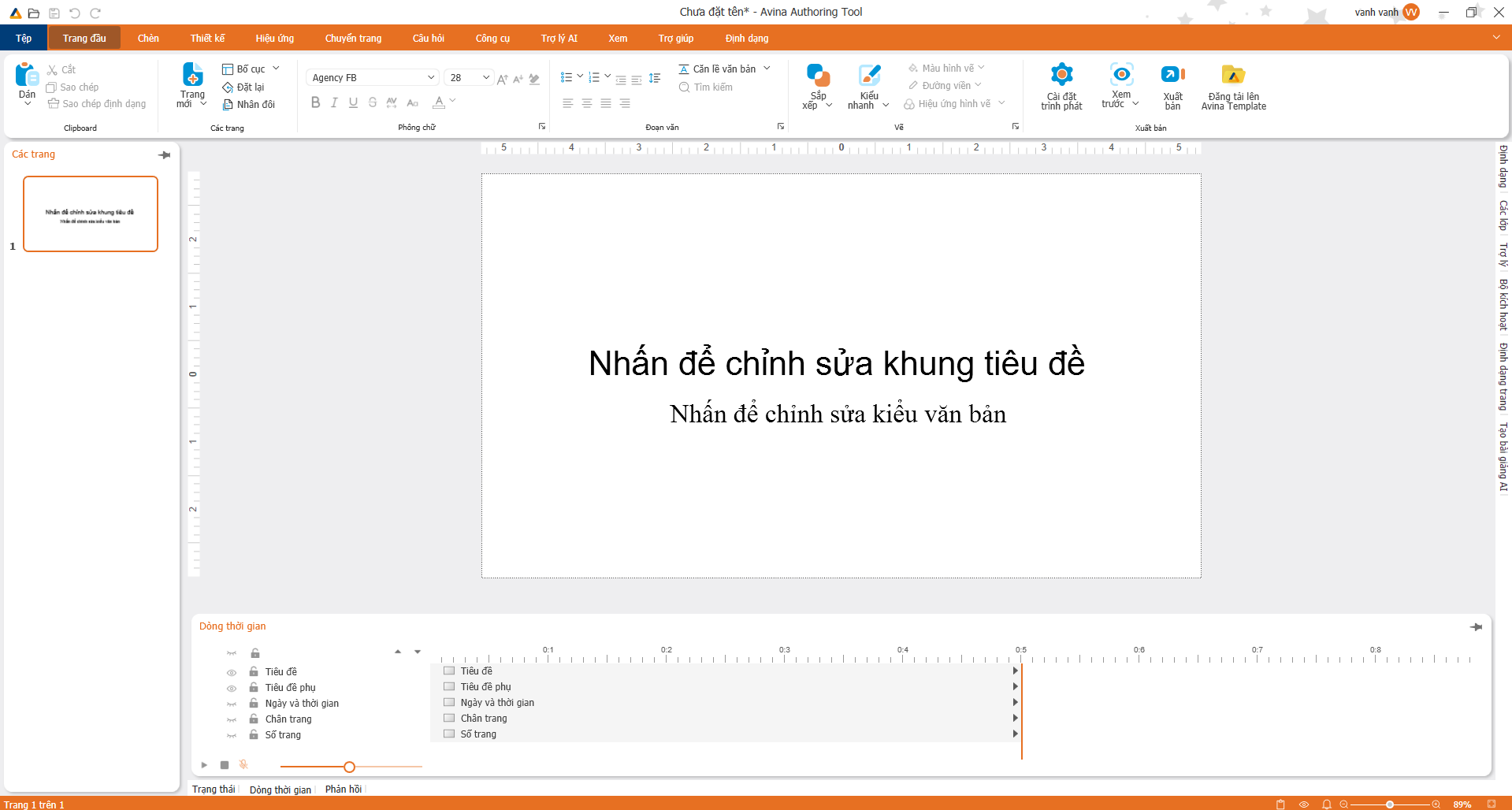
Familiar, modern & intuitive interface

Giao diện phần mềm Avina
Flexible Pricing

Optimal Cost - Lasting Value

1-Year Plan

Budget-optimized annual flexible solution for individuals and educational institutions.

299 $ /year
Only $24/month
  • Use the entire Avina authoring feature suite
  • Integrated AI Writing Assistant ✦
  • Full suite of 10+ interactive quiz formats
  • International standard SCORM and HTML5 publishing
  • Unlimited packaged lectures
  • 24/7 professional technical support
Educational organizations, please contact Hotline: 0944.859.038 to receive the best quotation.
Expert Opinion

What do training experts say about Avina?

★★★★★

"e"

Digital Community

Connect & Grow with the Avina Community

Digital Teachers Community

Facebook Group • 15,000+ Members

15K+ Members
Free Join
Join Group Now

Avina Solutions E-Learning

Fanpage • Official Support

5K+ Followers
Fast Response
Follow Fanpage
✓ Newsletter subscription successful!