When the pandemic hit, teachers were forced to stop traditional teaching and switch to online classes. However, it was undeniable that this shift was a challenge for numerous teachers, especially in motivating students to participate and learn. Therefore, methods to improve the quality of online lectures have been established and conveyed to them.
Let's find out 6 methods to help teachers promote engagement in online classes from students, ensuring that teachers effectively convey knowledge in a fantastic learning atmosphere.
Below is a list of 6 tips that teachers can refer then apply to their online lesson design process.
When it comes to online learning, it means mentioning information technology in education. Therefore, to successfully implement a course that can promote engagement in online classes, teachers should not only use a learning management system (LMS) but also need authoring tools.
Authoring software suitable for all teachers must ensure ease of use and provide multimedia integration and interactive learning tools such as gamification, illustrative charts, quizzes, tests, etc. for lively lesson design.
To help students master knowledge and achieve learning objectives, teachers should encourage students to use thinking support tools such as mind maps and mind maps. These tools help students visualize knowledge, link ideas and remember information more effectively. In addition, allowing students to access learning materials from many different devices will facilitate learning anytime, anywhere.
Collaborateive learning is an effective learning method to promote engagement in online classes, helping students develop teamwork, communication and problem-solving skills. Teachers can organize group activities, use tools such as shared documents, small meeting rooms, forums to facilitate students to exchange ideas, and complete tasks together.
Sitting too long in front of the screen can make students tired and reduce concentration. Therefore, teachers should encourage students to move during the learning process. For example, teachers can ask students to stand up when doing an exercise or walk around a bit during breaks.
Creating opportunities for collaboration will not only help students improve their knowledge but also promote engagement in online classes.
To attract students' attention, teachers should present learning content in a concise, clear and engaging manner. Using short videos and illustrations will help students absorb knowledge easily. In addition, teachers should also create diversity in learning activities to avoid students getting bored.
Check documents, lectures, tests, etc. one last time, including the quality of the learning content inside. Publish learning content in a form compatible with the LMS that teachers use. Thereby, teachers can easily convey knowledge to students effectively while still ensuring an interactive and engaging learning atmosphere.
Finally, a positive, friendly attitude from teachers will create a comfortable learning atmosphere and promote engagement in online classes from students.
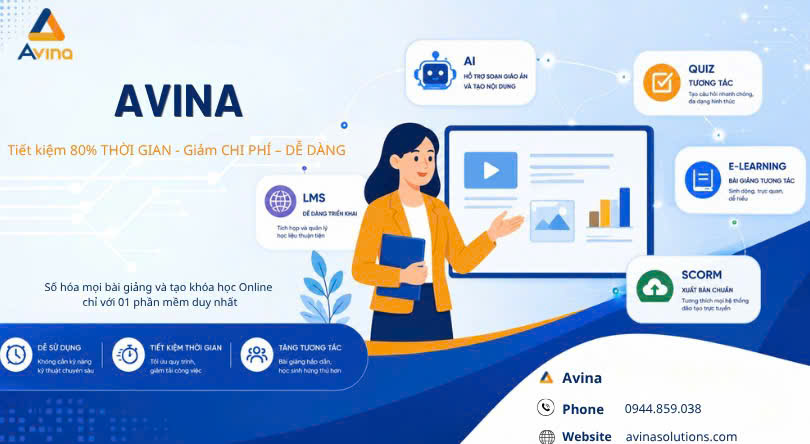
To support teachers to promote engagement in online classes, Huong Viet Group has built and developed an authoring software called Avina Authoring Tool. Avina Authoring Tools is not only an E-learning authoring software, but also a powerful tool that helps teachers and content creators create engaging and highly interactive online lessons.
Avina confidently meets all the lesson design needs of teachers thanks to its many features, of which the following are typical:
Rich content library: Avina provides a treasure trove of slide templates, images, sounds, videos and diverse effects, helping users easily create lively and professional lectures without having to spend too much time searching for documents.
Multimedia and interactivity in learning: This authoring tool integrates interactivity such as multiple choice, fill-in words, rearrange, drag and drop, etc. help learners actively participate in the learning process and test their knowledge.
Create cross-platform compatible lessons: Lessons created with Avina can run smoothly on many different devices such as computers, tablets and mobile phones, helping learners flexibly access knowledge anytime, anywhere.
Integrate other tools: Avina can easily integrate with tools such as PowerPoint, LMS and SCORM, helping users manage and distribute lessons effectively.
For many teachers, it is difficult to deploy online lessons and even more difficult to promote engagement in online classes. However, the methods mentioned above are expected to solve these difficulties for teachers, especially with the companionship of Avina Authoring Tool. Contact us for a free consultation!
.png)

 Tiếng Việt
 English
 ไทย
ไทย